Your readings on one sheet
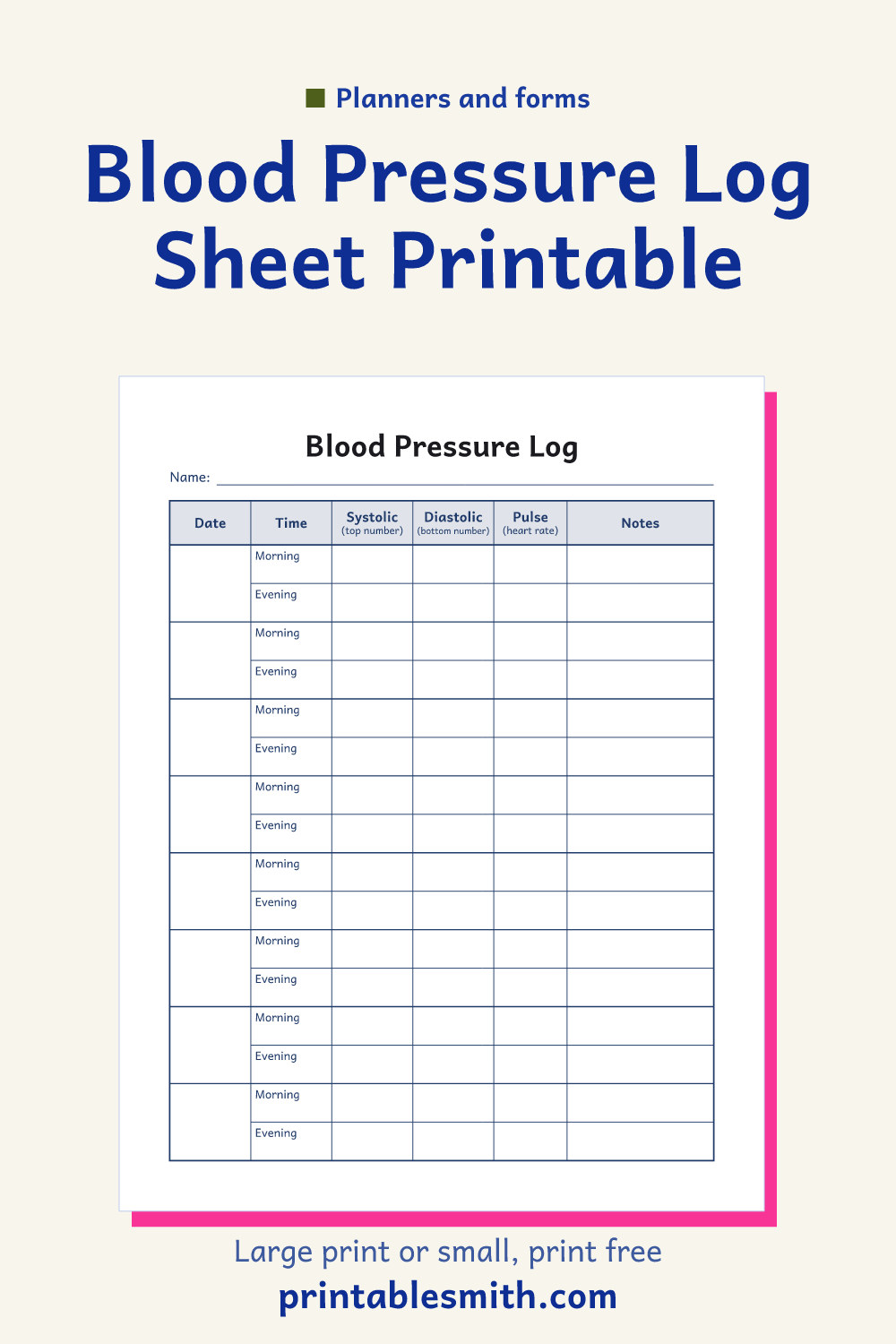
A blood pressure log is a page for writing down each reading from a home monitor: the date and time, the top and bottom numbers, the pulse, and anything worth noting. It is a record to bring to your doctor, nurse or pharmacist, who can then see what the monitor showed between visits.
Picture the monitor on the kitchen table with this sheet clipped under it. The morning reading goes on the morning row and the evening one on the row beneath it, with a note such as “new cuff”. Six weeks later there are three full pages in a folder, in the order they were filled in.
How to make a blood pressure log
- Keep Morning and evening rows on for two readings a date, or turn it off for a row a reading, each with its own date.
- Keep the Pulse column if your monitor shows a pulse, or turn it off for a wider notes column.
- Keep Large print on for bigger words and taller rows: with morning and evening rows, eight dates to a Letter page. Without large print a Letter page holds eleven dates.
- Change the title if the log is for someone else, such as “Dad’s Blood Pressure”, and write the name on the line under it.
- Choose a color under Look, or Black to save ink, then download the PDF and print enough pages for the weeks until the next appointment.
Save it for later
Pin this sheet to find it again next time, or to share it with family or a caregiver. The link brings them straight to this page, ready to print.
Save to PinterestTips for keeping a blood pressure log
- Keep the log and a pen next to the monitor, so writing the reading down is part of taking it.
- Write the numbers exactly as the monitor shows them. The headings on the sheet say which is the top number and which the bottom.
- Use the notes column for anything your doctor or nurse asked you to keep track of.
- Print several pages at once and number them in a corner, so the readings stay in date order.
- Keep every page, not only the newest one: the older pages hold the readings from weeks ago.
Common questions
How do I keep a record of my blood pressure?
Write each reading on its own row as soon as the monitor shows it: the date, the time, the top number, the bottom number and the pulse, with a note if something was different that day. Keep the pages together, in the order they were filled in.
What goes in each column of a blood pressure log?
Date and Time say when the reading was taken. Systolic (the top number) and Diastolic (the bottom number) are the two numbers on the monitor’s screen. Pulse is your heart rate, which most monitors show as well. Notes is for anything else you were asked to record.
Which number is systolic and which is diastolic?
The top number is systolic and the bottom number is diastolic. Most home monitors label them SYS and DIA and show the pulse as PUL or beside a heart. The sheet’s headings give both names, so you don’t have to remember which is which.
Is there a large print blood pressure log?
Yes. This log starts in large print, with bigger headings and taller rows that are easier to read and write in. Turn Large print off to fit more rows on a page.
Does it have a column for pulse?
Yes. The Pulse column is on to start. Turn it off if your monitor does not show one, and the notes column gets wider.
How many readings fit on one page?
In large print with morning and evening rows, 16 readings: eight dates, on Letter or A4. Without large print, 22 readings, or 24 on A4: eleven or twelve dates.
Can I print it on A4 or in black and white?
Yes. Choose A4 under More and Black under Look. Black prints lines and words only, with no tinted bands, which saves ink on a stack of pages.