Who does what, day by day
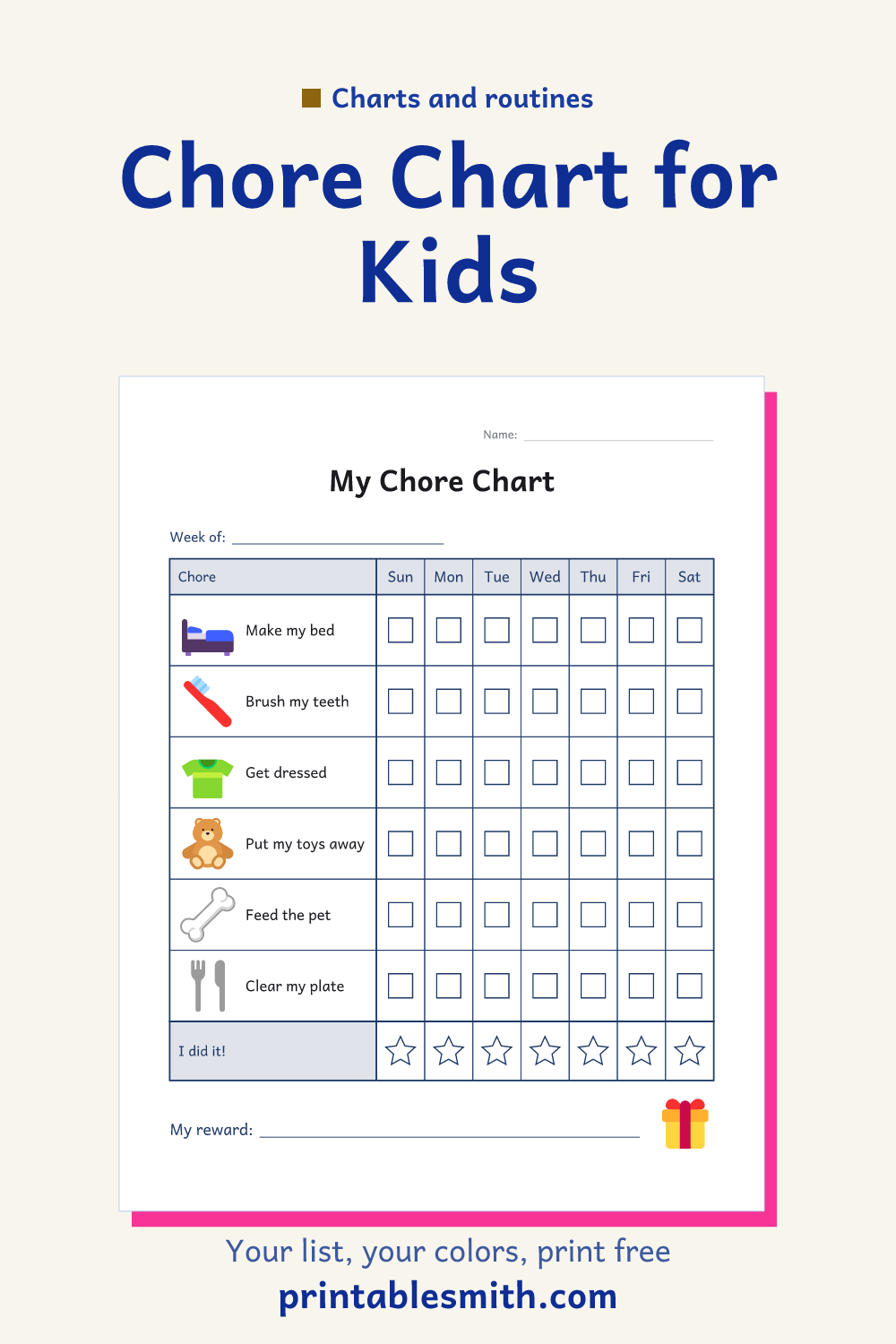
A chore chart puts a child’s jobs down the side and the days of the week across the top. When a job is done, the child ticks the box or colors the star. Children can see what is expected with fewer reminders, and parents can see the week at a glance.
Pictures make the chart work for children who cannot read yet: a bed beside “Make my bed”, a toothbrush beside “Brush my teeth”. Older children and teens need no pictures but often want more say in their list. Families with several children print one page each, with each name already on it.
How to make a chore chart
- Pick a ready-made set for your child’s age, or type the chores one per line. Leave the list empty for a blank chart to fill in by hand.
- Keep “Pictures beside the chores” on for young children: common chores get a picture from the site’s own set.
- Choose the whole week or Monday to Friday, a box to tick or a star to color, and the day your week starts.
- For more than one child, type each name on its own line. Each child gets a page with the name filled in; names never leave this device.
- Pick a color under Look, or Black for an ink-saving chart. Then download the PDF or print it.
Save it for later
Pin this sheet to find it again next time, or to share it with another teacher or parent. The link brings them straight to this page, ready to print.
Save to PinterestTips for a chore chart that lasts
- Five or six small jobs a day is plenty for children under six. Add a new one only when the others feel easy.
- Choose chores your child can do alone or with a little help, and show how to do each one before it goes on the chart.
- Say each chore the way your child would: “Put my toys away” is clearer than “Tidy room”.
- Hang the chart low, where your child can reach it with a crayon or a sticker.
- Look at the chart together for a minute at the end of each day, and praise what got done.
- Print a new chart every week. A clean page is a fresh start, and you can change chores as your child grows.
Common questions
Is the chore chart maker free?
Yes. Every chart is free to download and print, with no account, no email and no watermark.
What chores suit each age?
Many children of 3 to 5 can make their bed, put toys away and feed a pet with a grown-up’s help. Many 6 to 9 year olds can pack a backpack and set the table. From around 10, most can empty the dishwasher and take out the trash, and teens can do their own laundry and help cook. The ready-made sets follow these ages, but every child is different, so change any chore to fit yours.
Can I make a chore chart for several children?
Yes. Type each child’s name on its own line, up to 12. You get one page for each child, with the same chores and the name filled in.
Which chores get a picture?
Common ones, such as making the bed, brushing teeth, getting dressed, toys, pets, dishes, laundry, homework, reading, plants and the trash. A chore without a matching picture prints as words.
Can I print a chore chart for the school week only?
Yes. Choose Monday to Friday under Days.
Can I print it in black and white?
Yes. Choose Black under Look: the chart prints in black lines, with the pictures in black and white and a little smaller, to save ink.
Can I save my chore chart?
Use “Copy link to this chart”. The link rebuilds the same chart with your chores, but never the children’s names, which stay on this device.