The day, one picture at a time
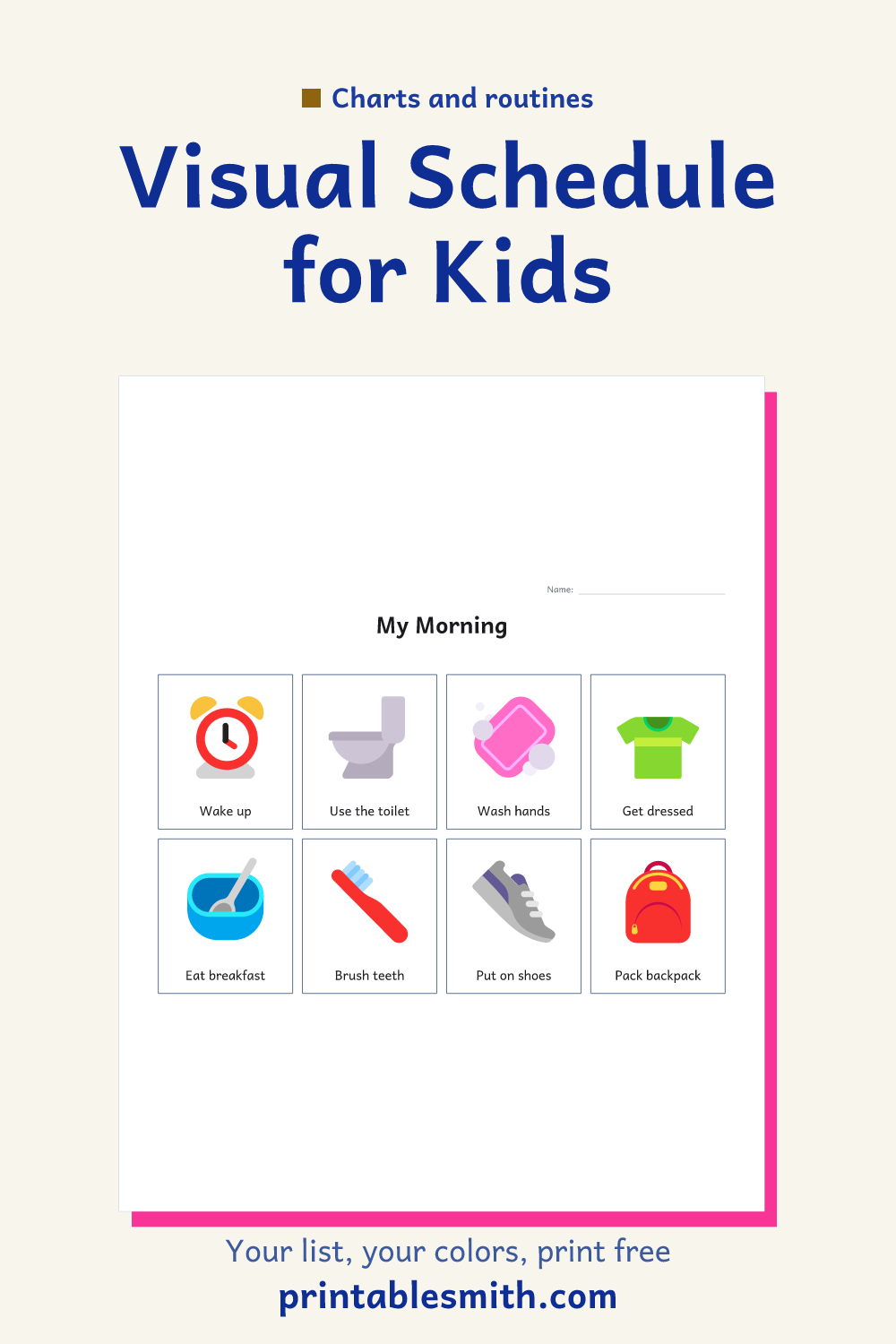
A visual schedule shows the steps of a routine as pictures in order: wake up, use the toilet, get dressed, eat breakfast. A child can look at it to see what is happening now and what comes next, without having to remember a list of spoken words.
Families, teachers and therapists use visual schedules with toddlers, preschoolers and children who find changes hard, including many autistic children and children with ADHD. They help at home, in the classroom and on days that are different from usual, such as a trip to the dentist or a new school.
How to make a visual schedule
- Choose a ready-made routine (morning, bedtime or school day), type the steps one per line, or tap the pictures under “Add a step” in the order of the day.
- Common steps get a picture from the site’s own set. A step without one prints an empty square, ready for a drawing or a photo of your own.
- Pick a layout: a strip of cards across a page on its side, a list with a box to tick, a first-then board, or cards to cut out.
- Choose a color under Look, or Black to save ink. Under More, number the steps if you use a strip or a list.
- Download the PDF or print it on US Letter or A4.
Save it for later
Pin this sheet to find it again next time, or to share it with another teacher or parent. The link brings them straight to this page, ready to print.
Save to PinterestTips for using a visual schedule
- Start small: for a young child, take the ready-made routine down to three to five steps, and add the rest back once it feels familiar.
- Use the words you say out loud, such as “Shoes on” or “Park”, so the card and your voice match.
- Go through the schedule together before the routine starts, and point to each card as you get to it.
- Let your child tick the box, turn over the card or move it to a “done” pocket when a step is finished.
- Put the schedule where the routine happens: the morning strip by the front door, the bedtime list in the bathroom.
- Print on card stock and laminate it to last. A dry-erase marker works on a laminated list.
Common questions
Is the visual schedule maker free?
Yes. Every layout is free to download and print, with no account, no email and no watermark.
Which layout should I choose?
A strip suits a routine of four to ten steps on a wall or a door. A list with boxes to tick suits an older child who likes to check things off. A first-then board suits one hard step followed by something your child wants. Cards to cut out suit a board where you move the cards around each day.
How do I use the cut-out cards?
Print them on card stock, cut on the dashed lines and laminate them if you can. Many families stick a piece of hook-and-loop tape on the back of each card and a strip on a board or a door, so the cards can be put up in a new order each day.
What if there is no picture for a step?
The step prints with an empty square above its words. Draw a picture in it, or glue on a photo of the real thing, such as your child’s own school or car.
Are visual schedules only for autistic children?
No. Many autistic children find them helpful, and so do toddlers, preschoolers, children with ADHD and any child who is learning a new routine or getting through a change.
Can I print it in black and white?
Yes. Choose Black under Look: lines and words in black, and the pictures in black and white and a little smaller, to save ink.
Can I save my schedule?
Use “Copy link to this schedule”. The link rebuilds the same steps, layout and colors on any device.