Every times table in one grid
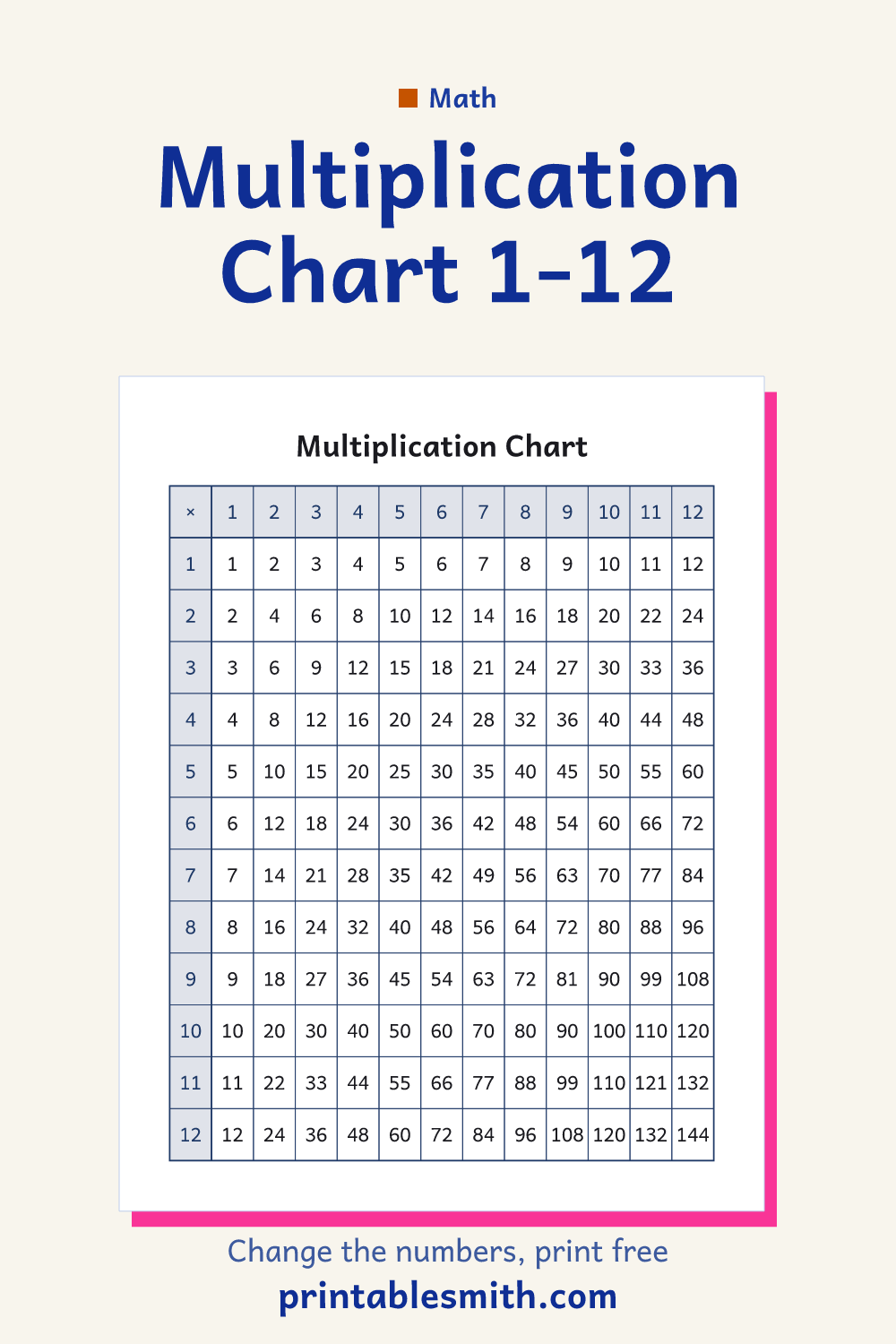
A multiplication chart is a grid with the numbers 1 to 12 along the top and down the side. Where a row and a column meet, the square holds their product, so the whole chart is every times table at once.
Children use a filled-in chart as a reference while they learn their facts, and a blank or partly blank one to practice them. Teachers hang one on the wall, tape copies to desks, and hand out fill-in sheets as a quick check. Parents and homeschoolers keep one in a folder for homework.
How to print a multiplication chart
- Choose the chart size: 10 × 10, 12 × 12, 15 × 15 or 20 × 20.
- Choose Filled in, Blank, or Fill in some. For Fill in some, choose how many squares to leave empty: a quarter, half or three quarters.
- To focus on one table, pick it under Highlight; its row and column are shaded. Or shade the square numbers.
- Under Look, pick the color, or black to save ink. Under For a class, print several fill-in sheets, each with different squares empty, and add the answer keys.
- Download or print the PDF. Answer keys follow the charts, with the missing numbers in red.
Save it for later
Pin this sheet to find it again next time, or to share it with another teacher or parent. The link brings them straight to this page, ready to print.
Save to PinterestMore sheets from this maker to pin:


Tips for learning with a multiplication chart
- To find 6 × 7, put one finger on the 6 down the side and another on the 7 along the top, then slide them together. They meet at 42.
- Point out that the chart is the same on both sides of the diagonal: 3 × 8 and 8 × 3 are both 24. Once a child sees this, there are only about half as many facts to learn.
- Look for patterns together: the 10s all end in 0, the 5s end in 0 or 5, and up to 9 × 10 the 9s go down by one in the ones place as they go up in the tens.
- Highlight the table you are working on this week, so it stands out from the rest of the chart.
- Start fill-in practice with a quarter of the squares empty, then move to half and three quarters as the facts come quickly.
- Print a blank chart in black, laminate it, and fill it in with a dry-erase marker for daily practice.
Common questions
Is it free?
Yes, every chart and every answer key. No account, no email and no watermark.
What size should I print?
The 12 × 12 chart is the one most schools use. 10 × 10 is a good first chart, and 15 × 15 and 20 × 20 are for older children who want to go further.
Can I make a blank multiplication chart to fill in?
Yes. Choose Blank for an empty grid with only the numbers along the edges, or Fill in some to leave a quarter, half or three quarters of the squares empty. Each fill-in sheet can have its own answer key.
Why does the 20 × 20 chart print filled in only?
Its squares are too small for a child to write a number in, so it prints filled in, as a chart to look things up on. Every smaller size can be blank or partly blank.
Can the chart start at 0?
Yes. Under More, choose Start at 0 to add a row and a column of zeros, as on a 0 to 12 chart.
Can I print it in black and white?
Yes. Choose Black under Look: the chart prints in lines and numbers only, and the highlight prints in light gray.
Can I print the same sheets again?
Use “Copy link to this chart”. The link rebuilds the same chart, with the same squares to fill in. Charts you download or print on this device are also listed under “Your recent sheets”.